Guide
Get a Personalized Class Book in Minutes with Three Simple Details
Get a Personalized Class Book in Minutes with Three Simple Details
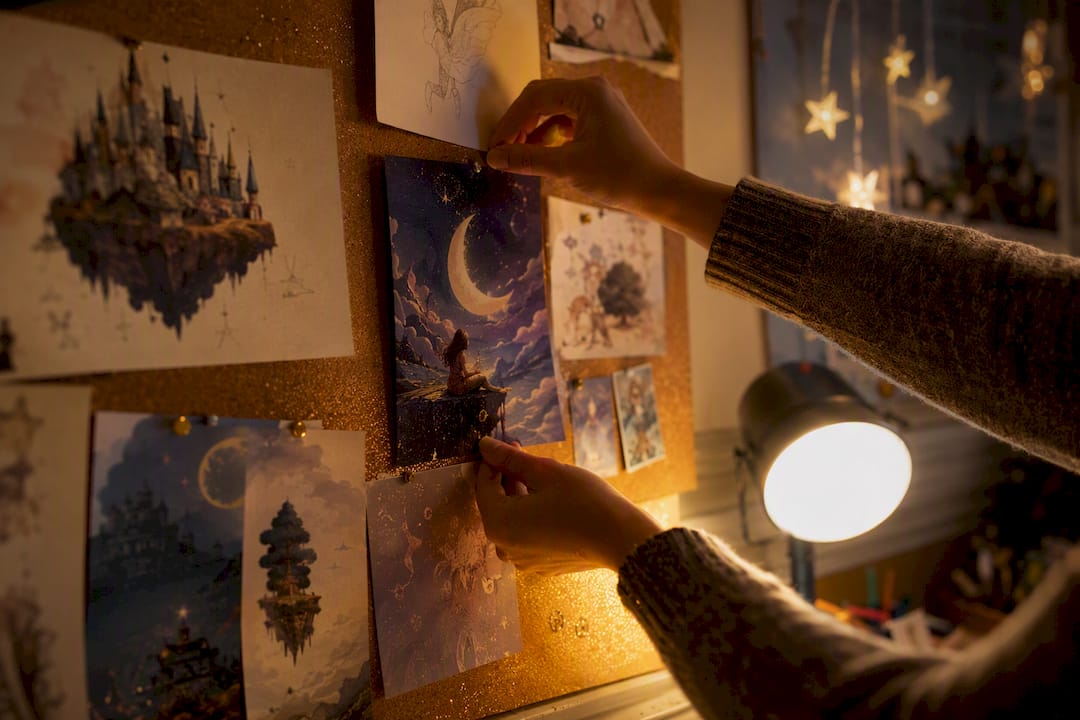
The fastest way to make a class book, in the personalized storybook sense, is to use a guided AI storybook platform that turns a name, a few favorite things, and one photo into a finished illustrated story. A platform like StoryStitch handles the writing and art through a guided process, then delivers an ebook preview, a printable PDF, an optional audiobook, and a printed hardcover, usually within minutes for the digital version.
TL;DR:
- Minimal personalization, such as the child’s name, pronoun, and one concrete detail, delivers the majority of emotional engagement at lower cost and effort.
- Full personalization, including custom illustrations and real-family scenes, offers higher keepsake value but requires more time and a higher budget.
- Using an ebook is the fastest and most affordable way to start, while audiobooks suit auditory learners and printed books provide lasting keepsakes.
- High-quality photos are essential for accurate AI-generated illustrations, with well-lit, front-facing images in natural light producing the best results.
- Carefully reviewing and proofreading the digital preview prevents errors and costly reprints, especially before placing a bulk print order.
Table of Contents
- How to Make a Class Book for Your Child, Step by Step
- Which Personalization Choices Matter Most?
- Ebook, Audiobook, or Printed Keepsake?
- What Does It Cost, and How Long Does It Take?
- Design Choices That Make Kids Want to Reread It
- Getting the Best Photos and Illustrations for Your Story
- Do You Need Permission to Use a Photo in a Personalized Book?
- Real Examples of Personalized Storybook Projects That Worked
- Common Mistakes to Avoid During Submission and Review
- Letting Kids Contribute to Their Own Story
- Ordering Multiple Copies for a Class or Family Group
- Why StoryStitch’s Guided Process Removes the Guesswork
- Start Building Your Child’s Book Today
- Sources
How to Make a Class Book for Your Child, Step by Step
Before you touch any software, gather the raw material. You need less than you think, and the platform (or a manual template, if you’re going that route) does the heavy lifting once you feed it the basics.
What to gather first:
- The child’s preferred name and pronouns, spelled exactly the way they’d write it themselves.
- Three favorite things: an animal, an activity, and a place or object that means something.
- One clear, well-lit photo, if you want a character illustration modeled on their actual look.
- The child’s age and a tone preference: silly, gentle, adventurous, or bedtime-calm.
Enter it into the platform. Most guided tools ask these questions in order, then generate a draft story with matching illustrations in one pass. This mirrors how personalized book services have always worked, just faster: platform guidance from StoryStitch walks through the same input-then-preview flow that’s become standard across the category.
Preview before you commit. Check three things specifically:
- Names and pronouns are correct on every page, not just the first.
- Illustrated features (skin tone, hair, glasses, a favorite stuffed animal) match reality closely enough to feel personal.
- Any cultural or family details (holidays, languages, family structure) are represented respectfully, not generically swapped in.
Finalize and order. Pick your format, digital, printed, or audiobook, and proofread the full text once more before locking it in. Typos are easy to miss when you’re excited about the illustrations.
Pro Tip: Read the preview out loud before finalizing. Text that looks fine on a screen sometimes trips over itself when spoken, especially rhyming or repeated phrases.
Which Personalization Choices Matter Most?
You don’t need to personalize everything. Research on this is surprisingly clear: a randomized study of 222 children found that minimal personalization, just name, gender, and age, produced a significant jump in emotional engagement compared to generic stories, and adding more personalization on top of that gave diminishing returns.
That’s the threshold effect, and it changes how you should budget your effort:
- Minimal personalization: name, pronoun, and one concrete detail (a pet’s name, a favorite color). Fast, cheap, and does most of the emotional work.
- Full personalization: photo-based illustrations, custom scenes (a real backyard, a real sibling), and multiple family members woven into the plot. Higher keepsake value, more time investment.
If you’re short on time or ordering several books for different kids, lean minimal. If you’re making one book as a milestone gift — birthday, adoption, first day of school — full personalization earns its cost.
Ebook, Audiobook, or Printed Keepsake?
Your intended use should decide the format, not the other way around.
- Ebook: fastest to produce, easiest to share across devices, and the cheapest entry point. Great for previewing before you commit to print.
- Audiobook: ideal for car rides, bedtime without a parent reading aloud, or a child who’s more auditory than visual. Adds a layer of accessibility a plain ebook can’t match.
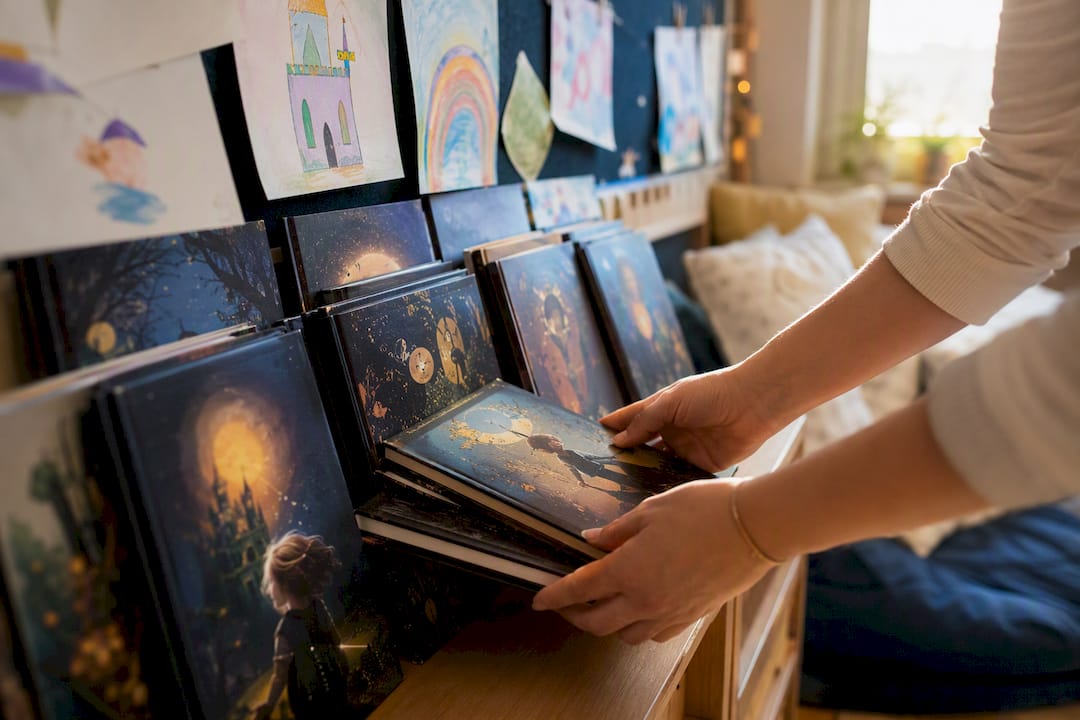
- Printed hardcover or softcover: the tactile keepsake option. Worth checking binding quality and page weight if it’s headed for years of bedtime handling.
One technical note: illustrations that look vivid on a backlit screen can shift slightly in print, since color profiles and page bleed work differently on paper. A platform built to handle print-specific color correction saves you from a duller-than-expected final copy.
What Does It Cost, and How Long Does It Take?
Pricing across personalized storybook platforms tends to follow a familiar shape: free to start, pay to finish.
- A free preview or first chapter, so you can see the story and art style before spending anything.
- A one-time unlock fee for the finished digital ebook, no subscription required on most platforms.
- An audiobook add-on for narration.
- A printed edition upsell, priced higher due to production and shipping.
Timeline-wise, the digital preview usually generates in minutes. Finalizing after your review, fixing a name typo or swapping a scene, adds maybe another few minutes. Printed copies are the real variable: expect shipping to add the most time to your total wait, especially around holiday rushes when print queues get backed up. If you need a rush order, check for expedited print options before you commit to a delivery date.
Design Choices That Make Kids Want to Reread It
The books that get requested again and again share a few traits, and they’re backed by real research, not just intuition. A 2014 study on personalized books found kids learned significantly more new vocabulary from personalized sections of a story than from generic sections, tested across multiple sessions.
A few practical takeaways from that research and related work:
- Repetition works. Predictable phrasing (“And then, just like always, Mia found her red boots”) helps young readers anticipate and internalize new words.
- Ground the story in real interests. A child obsessed with dinosaurs will engage more with a dinosaur adventure that also happens to be about them than with a generic one that isn’t.
- Keep one scene per page. Especially for early readers, a single clear illustration beats a busy page trying to show three things at once.
- Don’t make it all about them. Personalization should point outward too. Research on shared reading found that when personalized digital books emphasize only self-relevant content, they can narrow parent-child conversation rather than expand it. Balance self-reference with story elements that invite questions about the wider world.
Pro Tip: *Ask your child one open question about a non-personalized part of the story each time you read it together.
Getting the Best Photos and Illustrations for Your Story
The quality of your source photo matters more than almost anything else in the process. A blurry, backlit, or extreme close-up photo gives an AI illustration engine far less to work with than a clear, front-facing shot in natural light.
A few practical guidelines:
- Use one primary reference photo, taken in daylight, with the child’s face fully visible and not obscured by hats, sunglasses, or shadows.
- Avoid heavily filtered or edited photos. Filters distort skin tone and proportions in ways that confuse illustration generation and produce a less accurate likeness.
- Include distinguishing details in your written description, not just the photo, glasses, a birthmark, a favorite jacket color, since text prompts often carry more weight than image data alone in guided platforms.
- Photograph pets or favorite objects separately if you want them to appear accurately, rather than relying on a single group photo to convey everything.
For families without a strong photo on hand, a written description alone still works. Guided platforms are built to generate a warm, recognizable character from a few descriptive details even without a reference image, which matters if you’re making a book as a surprise gift and can’t ask for a photo without tipping off the recipient.
Do You Need Permission to Use a Photo in a Personalized Book?
Using a photo of your own child for a private keepsake is generally fine, since you’re the parent or legal guardian and the use is personal, not commercial. The gray area shows up when the photo involves someone else’s child, a licensed character, or an image pulled from the internet rather than taken yourself.
A few rules of thumb worth following:
- Only use photos you have the rights to. A photo you took yourself, or one a friend or family member explicitly shares with you for this purpose, is safest.
- Get permission before including someone else’s child in a personalized story, even a close friend’s kid, since you’re not the legal guardian and don’t hold rights to their image.
- Skip copyrighted characters or branded imagery entirely. Platforms that generate original illustrations from your description avoid this issue by design, since nothing is copied from an existing franchise.
- Check the platform’s own image policy before uploading, since some services restrict certain uploads (public figures, minors who aren’t your own children) as part of their terms.
When in doubt, describe rather than upload. A well-written description of “curly brown hair, a gap-toothed smile, always wearing her dinosaur backpack” gives an illustration engine plenty to work with, without the copyright ambiguity a scraped or borrowed photo can introduce.
Real Examples of Personalized Storybook Projects That Worked
The most effective personalized books tend to cluster around a few recurring occasions, and the pattern is worth borrowing.
Milestone gifts perform especially well: a book built around starting kindergarten, moving to a new house, or welcoming a new sibling gives the story a built-in emotional anchor. Scientific American’s reporting on the category notes that demand for personalized books climbed noticeably as families used them to help kids process transitions and loss, treating the book as a gentle rehearsal for a real-life change rather than pure entertainment.
Family keepsakes built around grandparents or extended family also tend to land well, especially when the story includes a real shared memory, a specific vacation, a running joke, a family pet, rather than a generic adventure with the names swapped in. The specificity is what makes it feel earned rather than templated.
Classroom and group gifting, where a teacher or parent organizer creates similar books for multiple children with each child as their own protagonist, has become a popular variation for end-of-year keepsakes and holiday gifts. The story structure stays consistent while the name, appearance, and one or two personal details change per child, which keeps production manageable without sacrificing the personal feel for each recipient.
Common Mistakes to Avoid During Submission and Review
Most personalized book disappointments trace back to a handful of avoidable errors, almost always at the input or review stage rather than anything wrong with the platform itself.
- Rushing the input step. Typing a name quickly without checking spelling is the single most common fix requested after a book is already generated.
- Skipping the preview entirely. It’s tempting to unlock immediately, but the preview exists specifically to catch mismatched pronouns, wrong ages, or an illustration that doesn’t quite match the photo you uploaded.
- Uploading a low-quality photo and expecting a sharp likeness. Garbage in, garbage out applies here as much as anywhere.
- Forgetting to check pronouns on later pages. Some generation passes get the first page right and drift by chapter three; read the whole thing, not just the opening.
- Ordering print before finalizing digital edits. Print runs cost more to redo. Lock in your text and art changes on the digital version first.
Building in five extra minutes for a careful read-through before you finalize saves far more time than it costs, especially once a printed copy is in production and harder to change.
Letting Kids Contribute to Their Own Story
Kids old enough to have opinions, roughly four and up, often enjoy having a say in their own book, and involving them tends to increase how invested they are in the finished product.
Simple ways to bring them in:
- Ask them to pick the adventure setting: underwater, outer space, a jungle, rather than choosing it for them.
- Let them name a sidekick character, even an invented one, since naming something themselves creates ownership over the story.
- Have them describe their own superpower or special skill for the story, then work that description into the input.
- Read the preview together and ask what they’d change, treating it as a genuine collaboration rather than a surprise reveal.
For classroom or group settings, this same collaborative approach scales nicely: each child can supply their own favorite thing or drawing detail, which keeps the personalization meaningful even when an adult is managing the production for the whole group.
Ordering Multiple Copies for a Class or Family Group
Personalized storybooks aren’t limited to single copies. If you’re producing books for an entire classroom, a sibling group, or an extended family at a reunion, a few practical approaches make bulk production manageable.
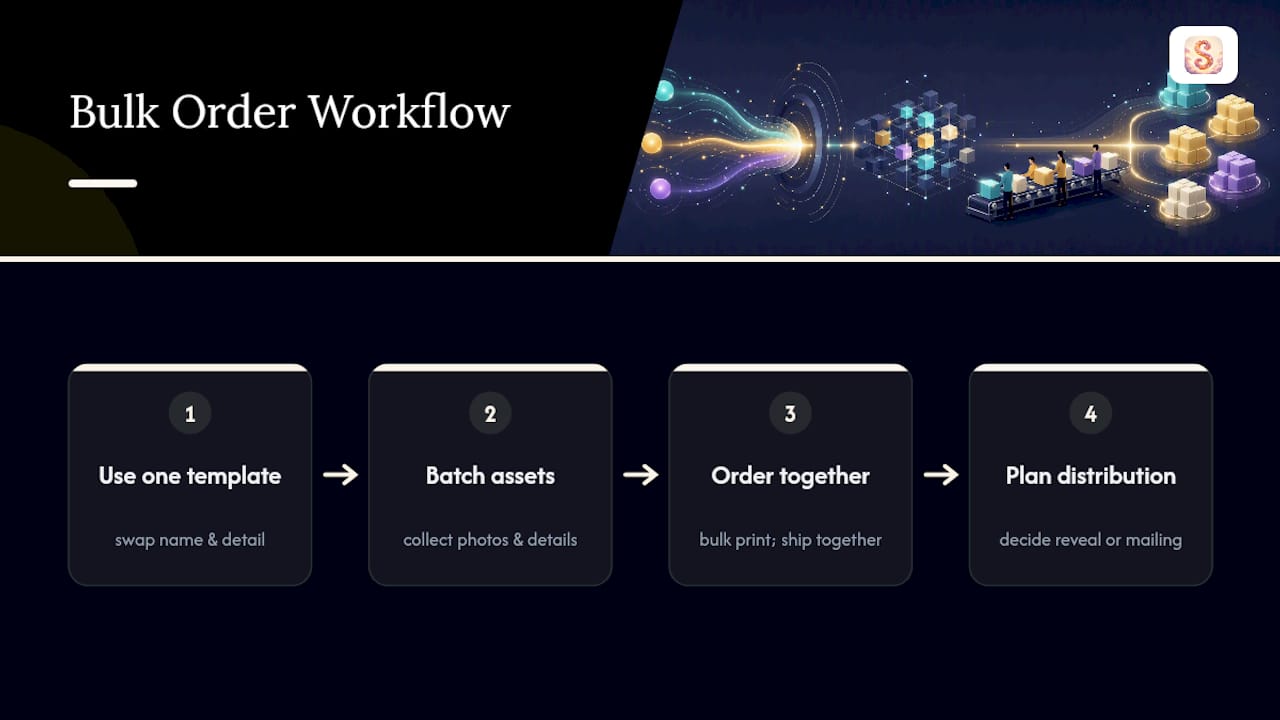
Keep the story template consistent, vary the personalization. Building one strong narrative structure, then swapping name, appearance, and one personal detail per child, is far more efficient than writing entirely separate stories for each recipient.
Batch your photo and detail collection upfront. Collecting every child’s photo, name, and favorite thing before you start generating saves you from stopping and starting repeatedly mid-project.
Order print copies together when possible. Bulk print runs often ship together, which simplifies distribution day and can reduce per-unit shipping costs compared to ordering each book separately.
Plan for a distribution moment. Whether it’s a classroom reveal, a holiday gathering, or mailing individual packages to family members, decide how the books will actually reach their recipients before your print order ships, so you’re not scrambling once boxes arrive.
Why StoryStitch’s Guided Process Removes the Guesswork
We built StoryStitch’s workflow around one idea: personalization shouldn’t require design skills or hours of back-and-forth. You answer a few guided prompts, our AI generates a full story with matching chapters, characters, and illustrations, and you preview it before spending a cent. From there, you choose ebook, audiobook, or a printed edition, and each format pulls from the same consistent story and art you approved.
Parents typically use the ebook for an instant gift, the audiobook for car rides or screen-free bedtime, and the printed hardcover for the keepsake that ends up on a shelf for years. The guided input-to-preview flow exists specifically so you’re never staring at a blank page wondering what details matter.
— StoryStitchApp
Start Building Your Child’s Book Today
StoryStitch is the fastest route to a finished personalized storybook without hiring an illustrator, learning design software, or waiting weeks for a draft. You answer a handful of prompts about your child, our AI generates the full story and matching illustrations, and you see a free preview before you pay anything.
To start, you’ll need three things ready: one clear photo (optional but recommended), your child’s preferred name and pronouns, and a favorite thing or two to build the plot around. From there, you can choose your finish, ebook, audiobook, or printed hardcover, and check exact costs for each on the pricing page before committing. If you’re ready to see what your child’s story looks like, the AI storybook maker walks you through every step and shows you a preview first, free.
Sources
- Kucirkova et al. (2014) — personalized books and vocabulary acquisition
- Effect of personalization in children’s fables — F1000Research (2026)
- An empirical investigation of parent-child shared reading of digital personalized books (2020)
- The educational power — and the limits — of personalized children’s books (Scientific American, 2021)